Мошенничество в криптосфере: как поддельные вакансии и приложение GrassCall опустошают кошельки
С развитием Web3 и удалённой работы мошенники начали активно использовать поддельные криптовакансии для кражи средств. Один из последних примеров — приложение GrassCall, маскирующееся под платформу для онлайн-собеседований. В статье разберём, как работает схема, как защититься и что делать, если вы стали жертвой.
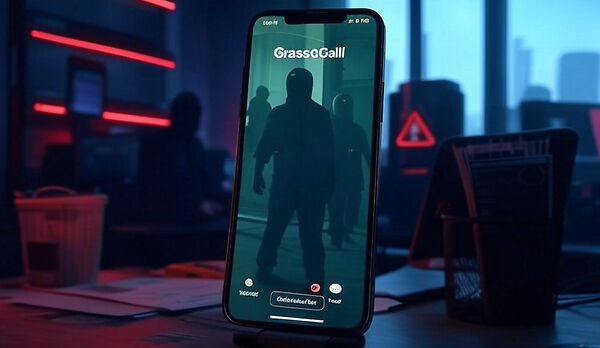
1. Как работает схема с поддельными вакансиями
Мошенники размещают объявления на популярных платформах (LinkedIn, HeadHunter), предлагая:
- Высокие зарплаты ($5-10 тыс./мес) за «простую работу» в криптопроектах.
- Обучение «трейдингу» или «аналитике блокчейна».
- Бонусы за прохождение собеседования.
После отклика жертве отправляют ссылку на приложение вроде GrassCall, которое:
- Запрашивает доступ к кошельку MetaMask или Trust Wallet.
- Предлагает «подписать транзакцию для верификации».
- Крадёт все средства через подписанный контракт.
По данным SlowMist, за 2024 год через такие схемы украдено $220 млн.
2. Пример атаки: как GrassCall обманывает пользователей
| Этап | Действие мошенников | Цель |
| 1. Привлечение | Фейковые отзывы о «работе» в Twitter | Вызвать доверие |
| 2. Собеседование | Видеозвонок с «HR-менеджером» | Имитация легальности |
| 3. Внедрение | Установка GrassCall (троян) | Кража seed-фраз |
3. Топ-5 признаков поддельной вакансии
- Требуют доступ к кошельку. Настоящие работодатели не запрашивают приватные ключи.
- Обещают быстрый доход. «Зарплата $10k без опыта» — явный красный флаг.
- Ссылки на неизвестные приложения. Все легальные проекты используют Zoom, Google Meet.
- Ошибки в описании. Непрофессиональный язык, опечатки.
- Давление на срочность. «Отправьте транзакцию сейчас, иначе место займут».
4. Как защитить себя: инструкция от экспертов
4.1. Проверка вакансии
- Ищите отзывы о компании на Glassdoor и CoinGecko.
- Сверяйте домен сайта с официальным (например, binance.com vs binanсe.cc).
4.2. Безопасность кошелька
- Используйте аппаратный кошелёк (Ledger, Trezor).
- Никогда не подписывайте транзакции в подозрительных приложениях.
4.3. Действия при взломе
- Немедленно перенесите оставшиеся средства на новый адрес.
- Заблокируйте доступ через Revoke.cash.
- Подайте жалобу на платформу, где размещена вакансия.
5. Реальные кейсы: истории пострадавших
- Кейс 1. Пользователь из Индии потерял $34k после установки GrassCall для «тестового задания».
- Кейс 2. Фейковая вакансия в «Binance HR team» привела к краже 12 BTC.
Совет юриста Марии Соколовой: «Фиксируйте все переписки — это поможет в розыске».
6. Как платформы борются с мошенниками
- LinkedIn. Внедрил AI-фильтр для блокировки подозрительных объявлений.
- MetaMask. Добавил предупреждения о поддельных dApps.
- CertiK. Запустил сервис проверки вакансий Skynet Alerts.
Заключение
Мошенники постоянно совершенствуют методы, но знание их тактик снижает риски. Всегда проверяйте контрагентов, используйте отдельные кошельки для работы и обучайтесь цифровой гигиене. Помните: в криптомире ваша безопасность — в ваших руках.